> For the complete documentation index, see [llms.txt](https://usefelix.gitbook.io/docs/llms.txt). Markdown versions of documentation pages are available by appending `.md` to page URLs; this page is available as [Markdown](https://usefelix.gitbook.io/docs/trading-products/spot-equities/how-to-withdraw-from-your-account.md).

# How to: withdraw from your account

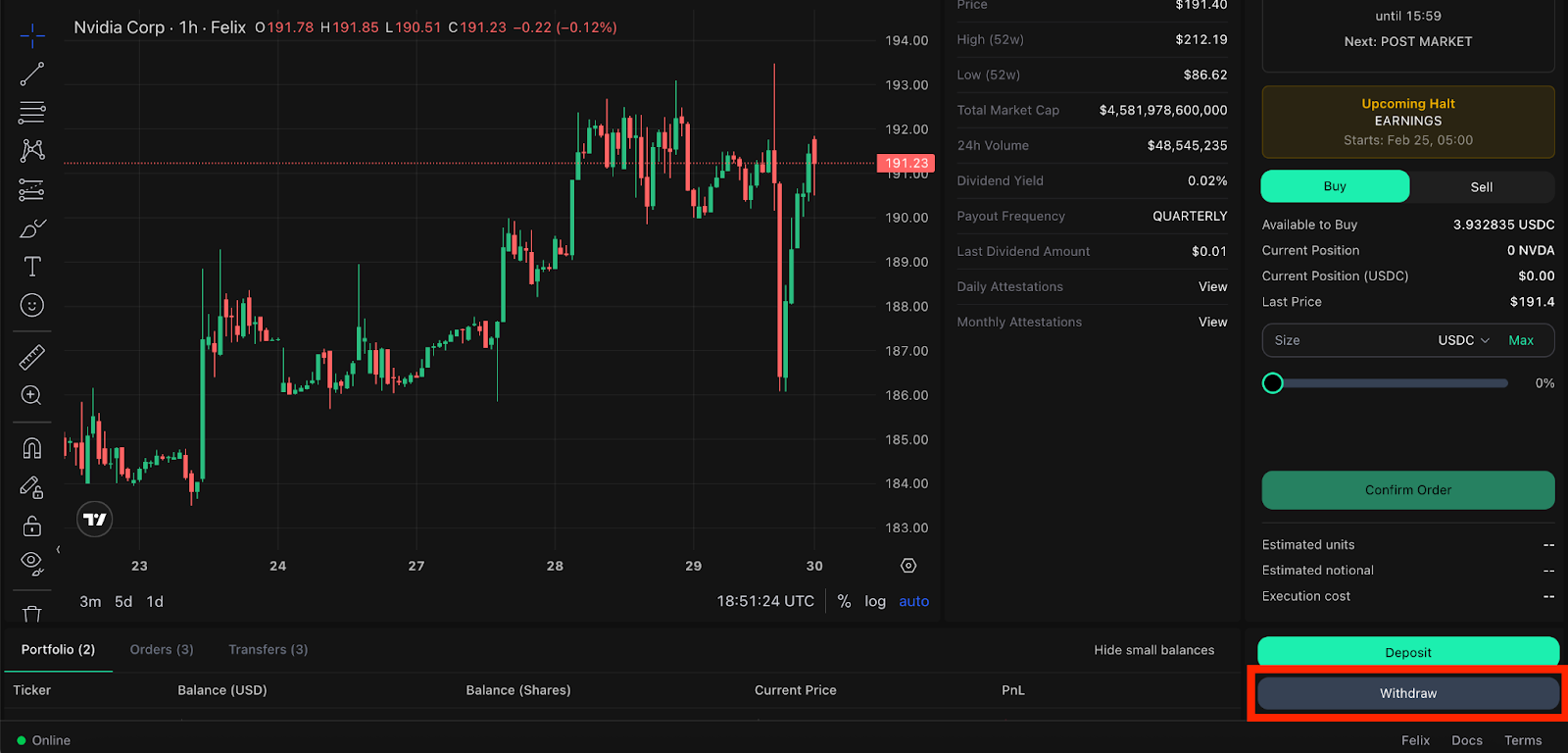
Step 1: Select the “Withdraw” button.

<figure><img src="https://2357968670-files.gitbook.io/~/files/v0/b/gitbook-x-prod.appspot.com/o/spaces%2FVH6och7EAxl0pIZxgbqv%2Fuploads%2FMZulN1k7K3sVlrq1nHtN%2Funknown.png?alt=media&amp;token=a2b7bd6b-b025-426d-9a8d-b6530f550fe2" alt=""><figcaption></figcaption></figure>

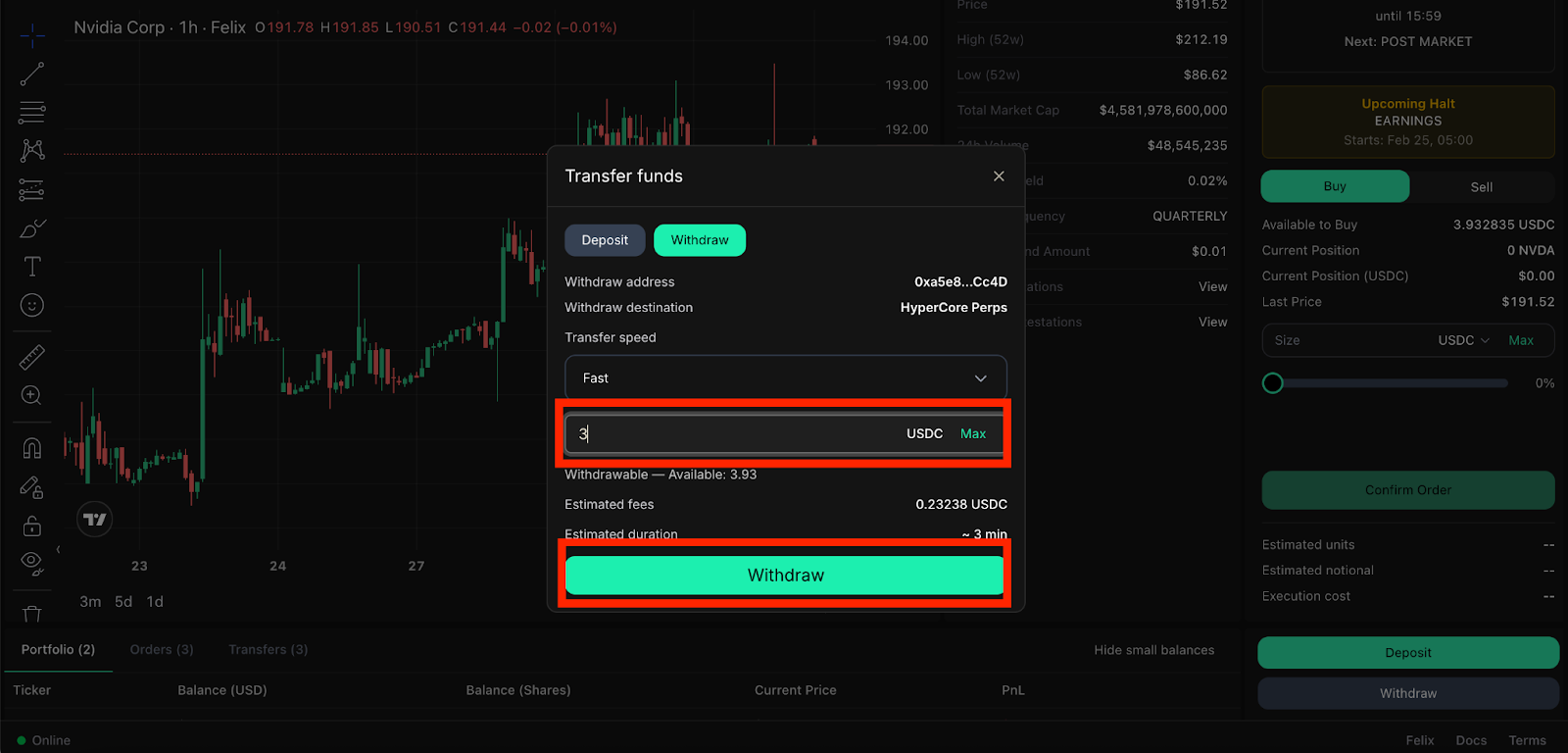
Step 2: Enter the desired amount to withdraw and then select “Withdraw.”

<figure><img src="https://2357968670-files.gitbook.io/~/files/v0/b/gitbook-x-prod.appspot.com/o/spaces%2FVH6och7EAxl0pIZxgbqv%2Fuploads%2F8Wv1W177x0PQfmEnpp0h%2Funknown.png?alt=media&amp;token=2b7fafd6-4fd8-4e01-b98d-1225a491e0a3" alt=""><figcaption></figcaption></figure>

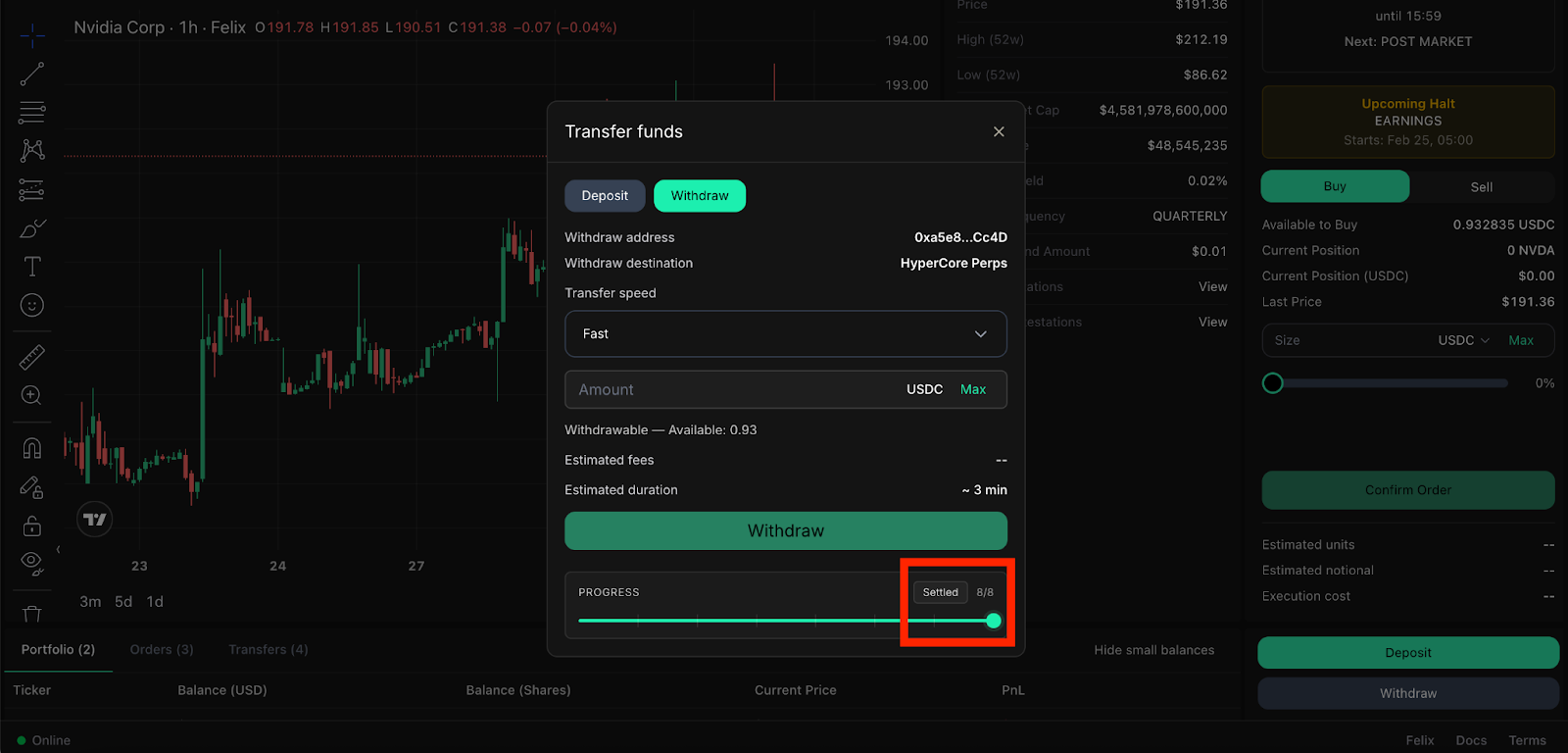
Step 3: Wait \~3 minutes for the withdraw to display “Settled.”&#x20;

<figure><img src="https://2357968670-files.gitbook.io/~/files/v0/b/gitbook-x-prod.appspot.com/o/spaces%2FVH6och7EAxl0pIZxgbqv%2Fuploads%2Ft8Hf38HvLVrF5HTZ5ZYK%2Funknown.png?alt=media&amp;token=7731a0ea-5ac5-4d18-b50d-c92d7f3a9538" alt=""><figcaption></figcaption></figure>

<br>