> For the complete documentation index, see [llms.txt](https://usefelix.gitbook.io/docs/llms.txt). Markdown versions of documentation pages are available by appending `.md` to page URLs; this page is available as [Markdown](https://usefelix.gitbook.io/docs/trading-products/spot-equities/how-to-fund-your-account.md).

# How to: fund your account

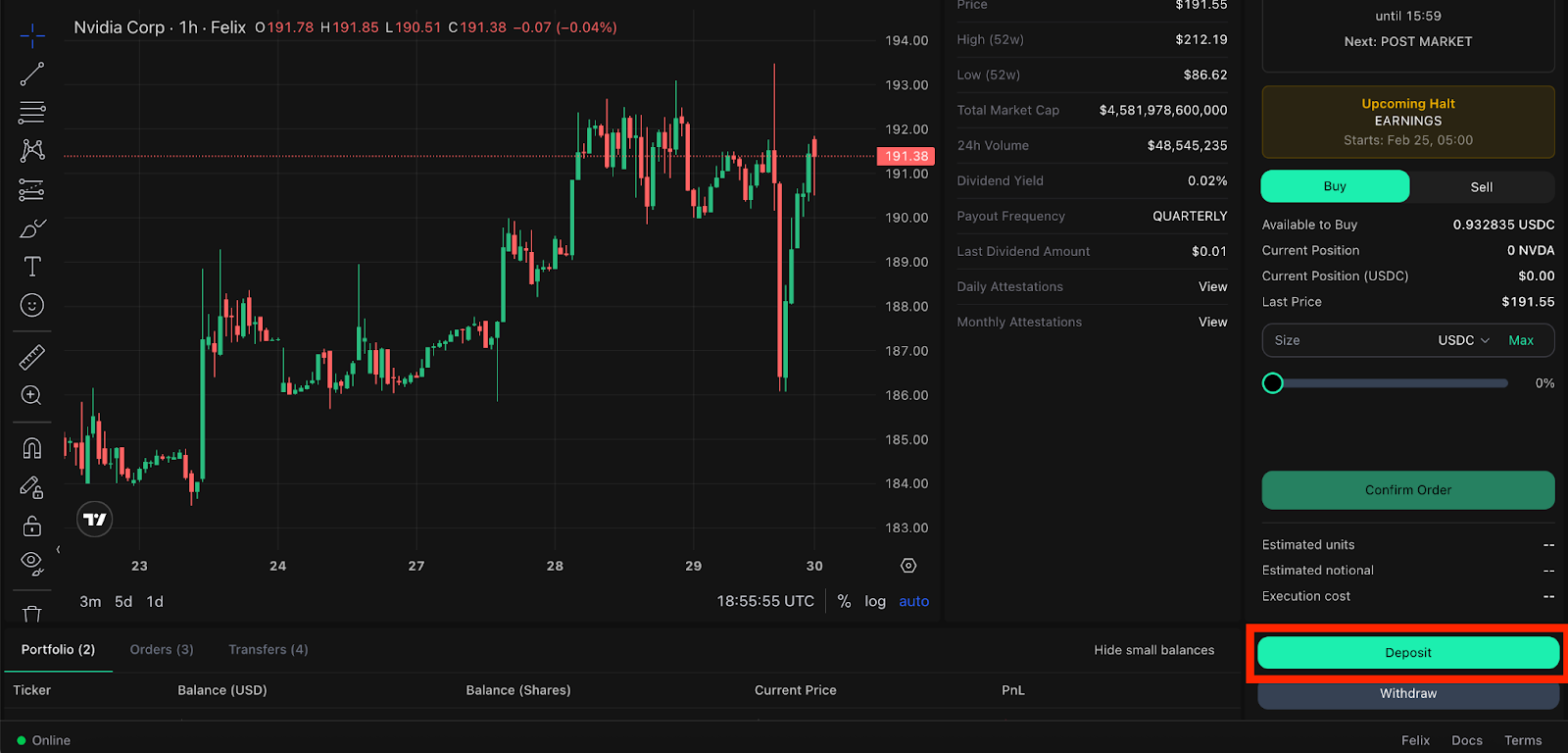
Step 1: After creating your account (see “[How to: set up your spot equities account](/docs/trading-products/spot-equities/how-to-create-your-spot-equities-account.md)”), select the “Deposit” button.

<figure><img src="https://2357968670-files.gitbook.io/~/files/v0/b/gitbook-x-prod.appspot.com/o/spaces%2FVH6och7EAxl0pIZxgbqv%2Fuploads%2F792GXzogROW8MqOzJxZD%2Funknown.png?alt=media&amp;token=d1e47419-fce5-4982-8f49-ac6897c06a21" alt=""><figcaption></figcaption></figure>

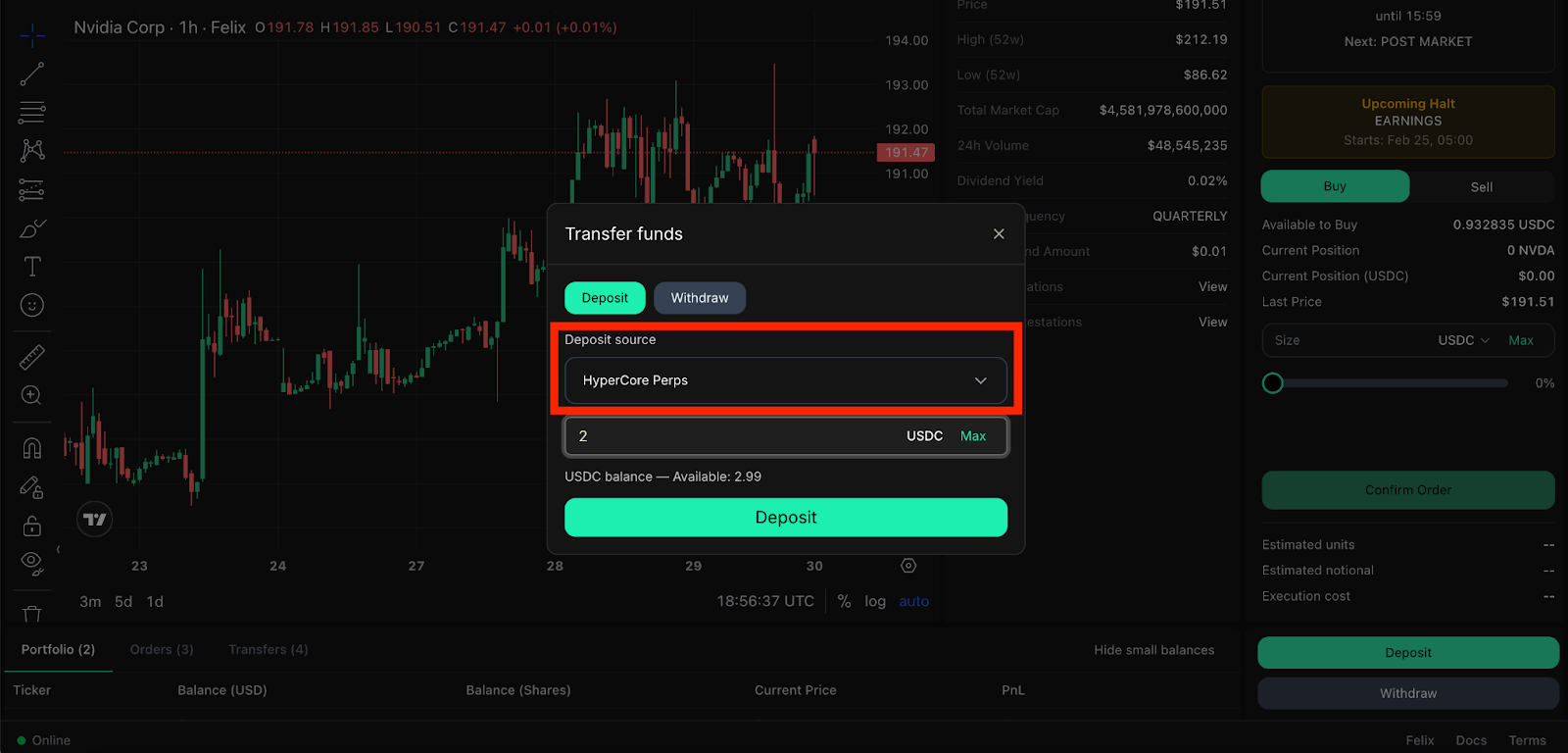
Step 2: Select which HyperCore account you’d like to deposit from (HyperCore Perps or HyperCore Spot).

<figure><img src="https://2357968670-files.gitbook.io/~/files/v0/b/gitbook-x-prod.appspot.com/o/spaces%2FVH6och7EAxl0pIZxgbqv%2Fuploads%2FcpNAZlHdzJubvkWFRYXh%2Funknown.png?alt=media&amp;token=a099059c-df2a-4719-9647-73012e0c35ce" alt=""><figcaption></figcaption></figure>

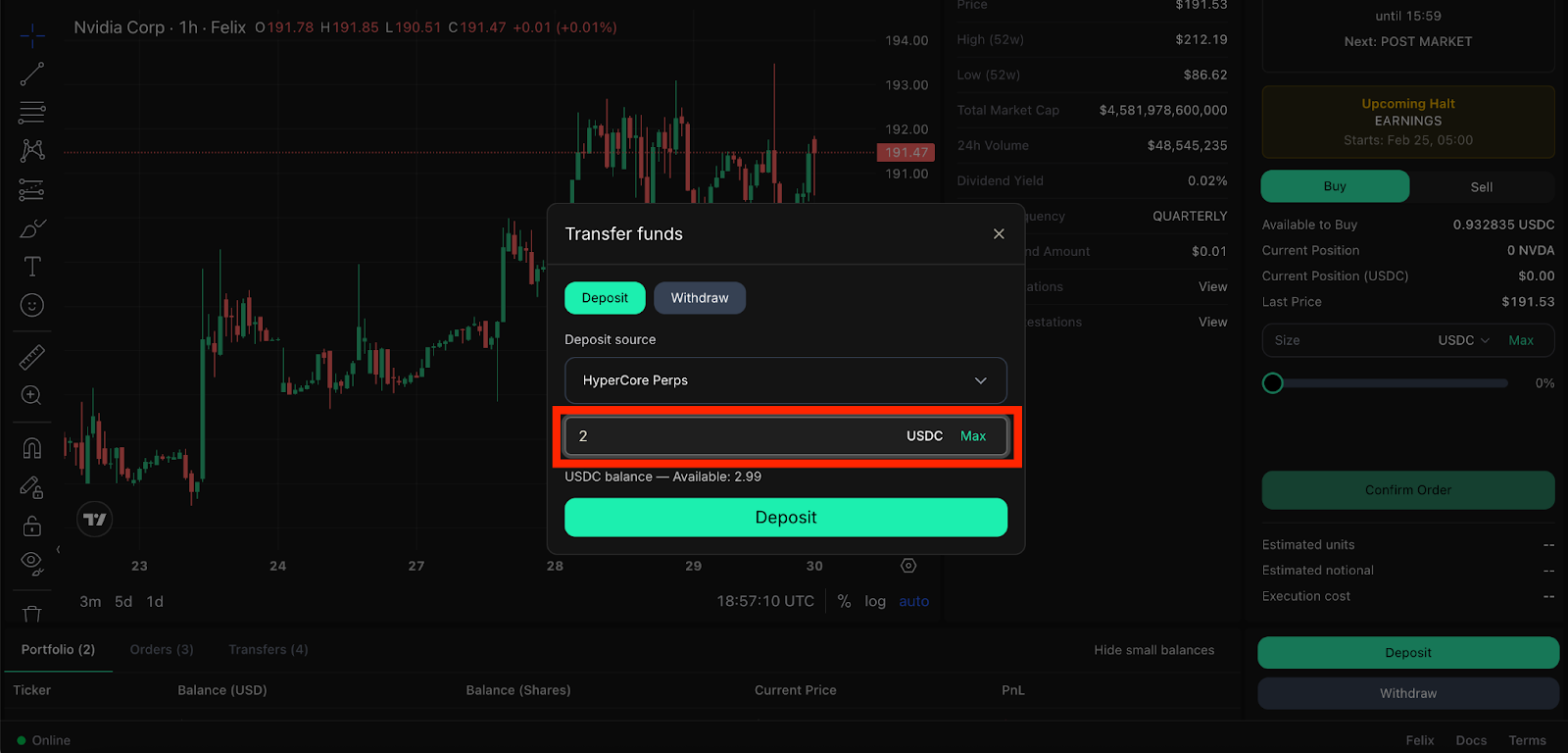
Step 3: Select the desired amount you’d like to deposit.

<figure><img src="https://2357968670-files.gitbook.io/~/files/v0/b/gitbook-x-prod.appspot.com/o/spaces%2FVH6och7EAxl0pIZxgbqv%2Fuploads%2Fl5kVRIwL8EF38BiexAUL%2Funknown.png?alt=media&amp;token=d6e4c5c5-cff0-48e8-96b1-3b1d90e8d350" alt=""><figcaption></figcaption></figure>

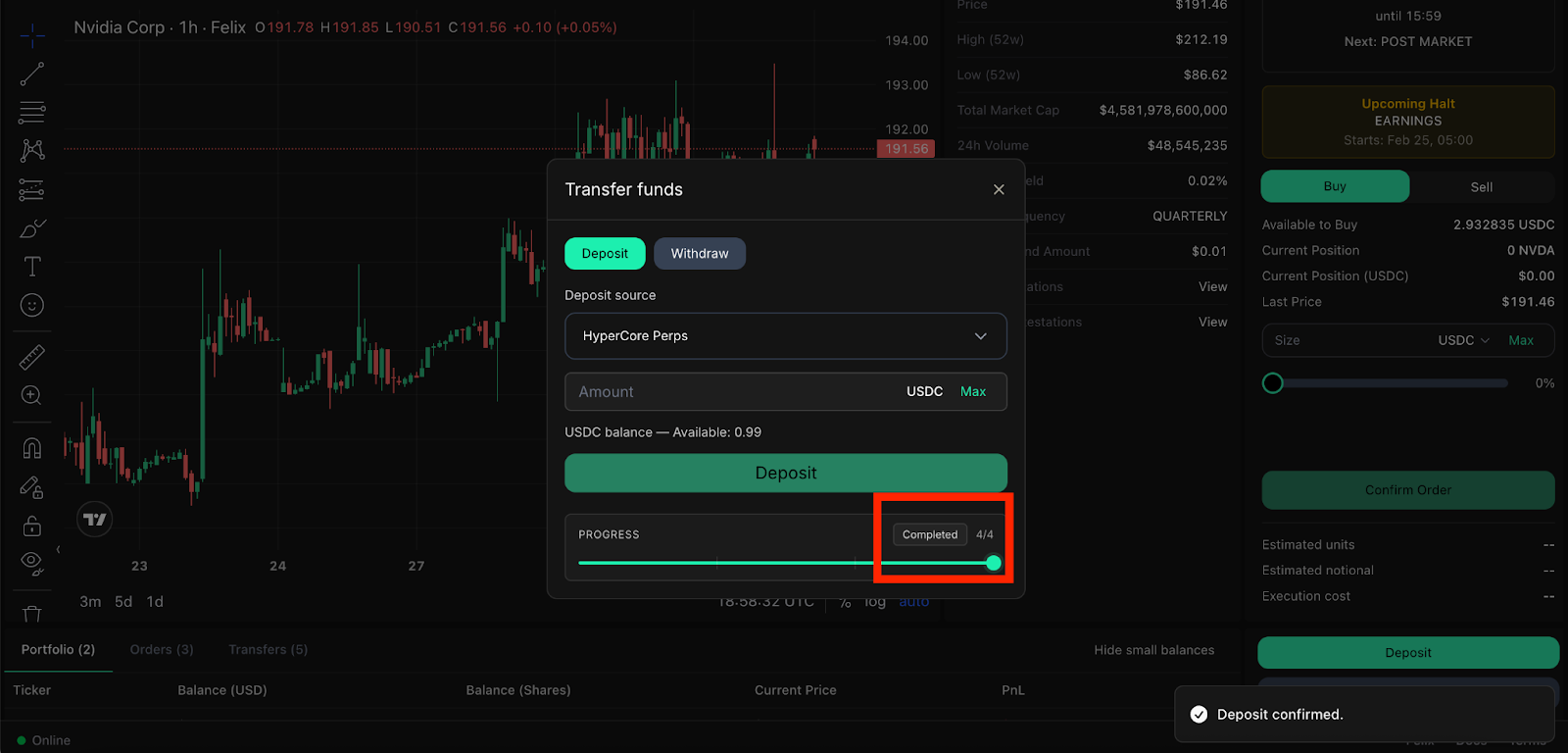
Step 4: Wait until your deposit is confirmed and displays “Completed.”
<figure><img src="https://2357968670-files.gitbook.io/~/files/v0/b/gitbook-x-prod.appspot.com/o/spaces%2FVH6och7EAxl0pIZxgbqv%2Fuploads%2FDdl9TaDN1D7eR53J1ubV%2Funknown.png?alt=media&amp;token=52920d96-95ee-44e5-9c07-dc9117b2f15f" alt=""><figcaption></figcaption></figure>

<br>