> For the complete documentation index, see [llms.txt](https://usefelix.gitbook.io/docs/llms.txt). Markdown versions of documentation pages are available by appending `.md` to page URLs; this page is available as [Markdown](https://usefelix.gitbook.io/docs/trading-products/spot-equities/how-to-create-your-spot-equities-account.md).

# How to: create your spot equities account

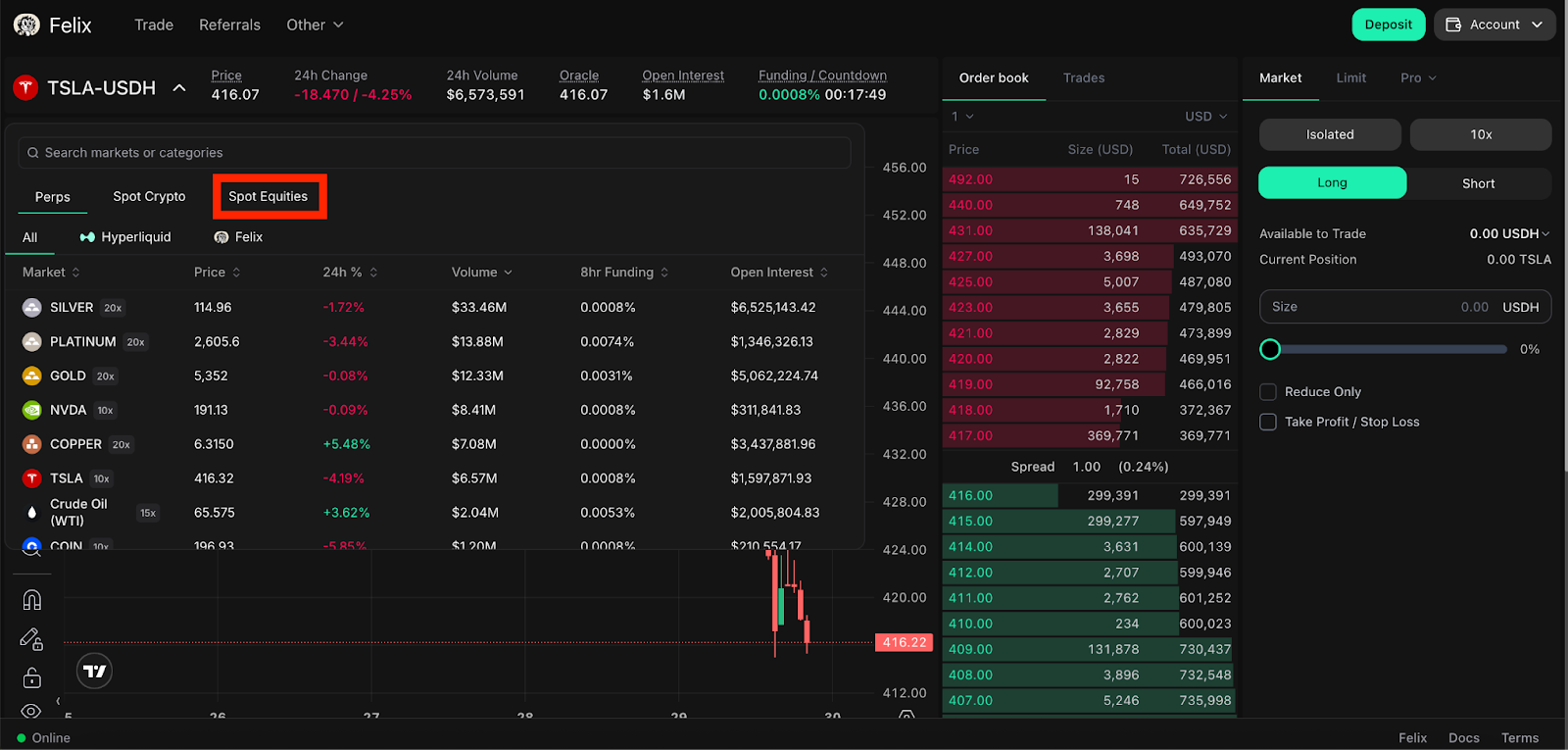
Step 1: Navigate to [trade.usefelix.xyz](http://trade.usefelix.xyz), click the asset drop down arrow, and click on “Spot Equities” *\*\*\*Note: spot equities are only available on private mainnet and are not available on* trade.usefelix.xy&#x7A;*\*\*\**

<figure><img src="https://2357968670-files.gitbook.io/~/files/v0/b/gitbook-x-prod.appspot.com/o/spaces%2FVH6och7EAxl0pIZxgbqv%2Fuploads%2Flvj2vW6oty9N5kAZE292%2Funknown.png?alt=media&amp;token=b8dad9f7-378d-4ce4-a8bc-28b826baa255" alt=""><figcaption></figcaption></figure>

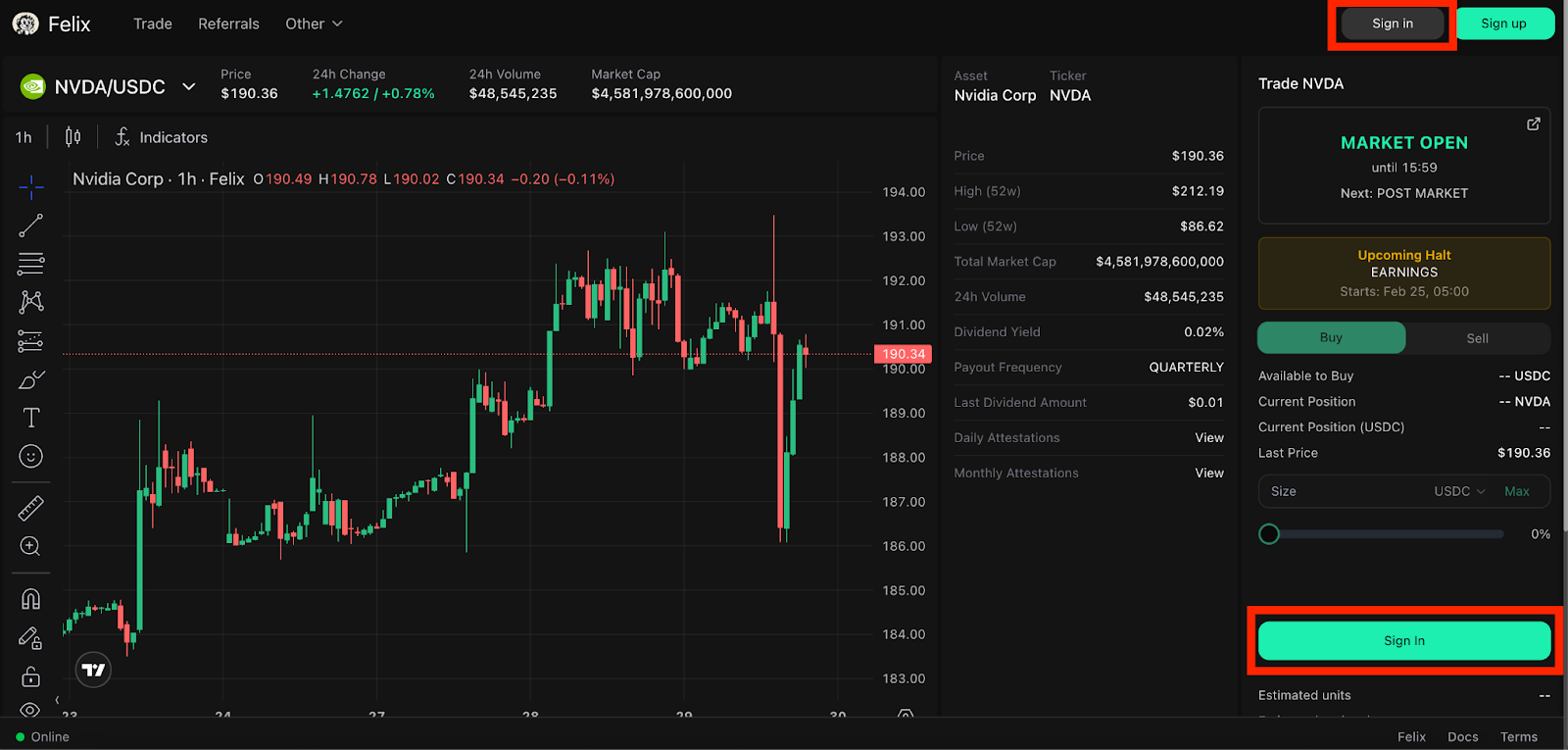
Step 2: Click “Sign In.”

<figure><img src="https://2357968670-files.gitbook.io/~/files/v0/b/gitbook-x-prod.appspot.com/o/spaces%2FVH6och7EAxl0pIZxgbqv%2Fuploads%2F4HyRrdtRcdWpxgcVLllD%2Funknown.png?alt=media&amp;token=4550b1b3-8b1c-4b43-a7e6-4366f3693fe2" alt=""><figcaption></figcaption></figure>

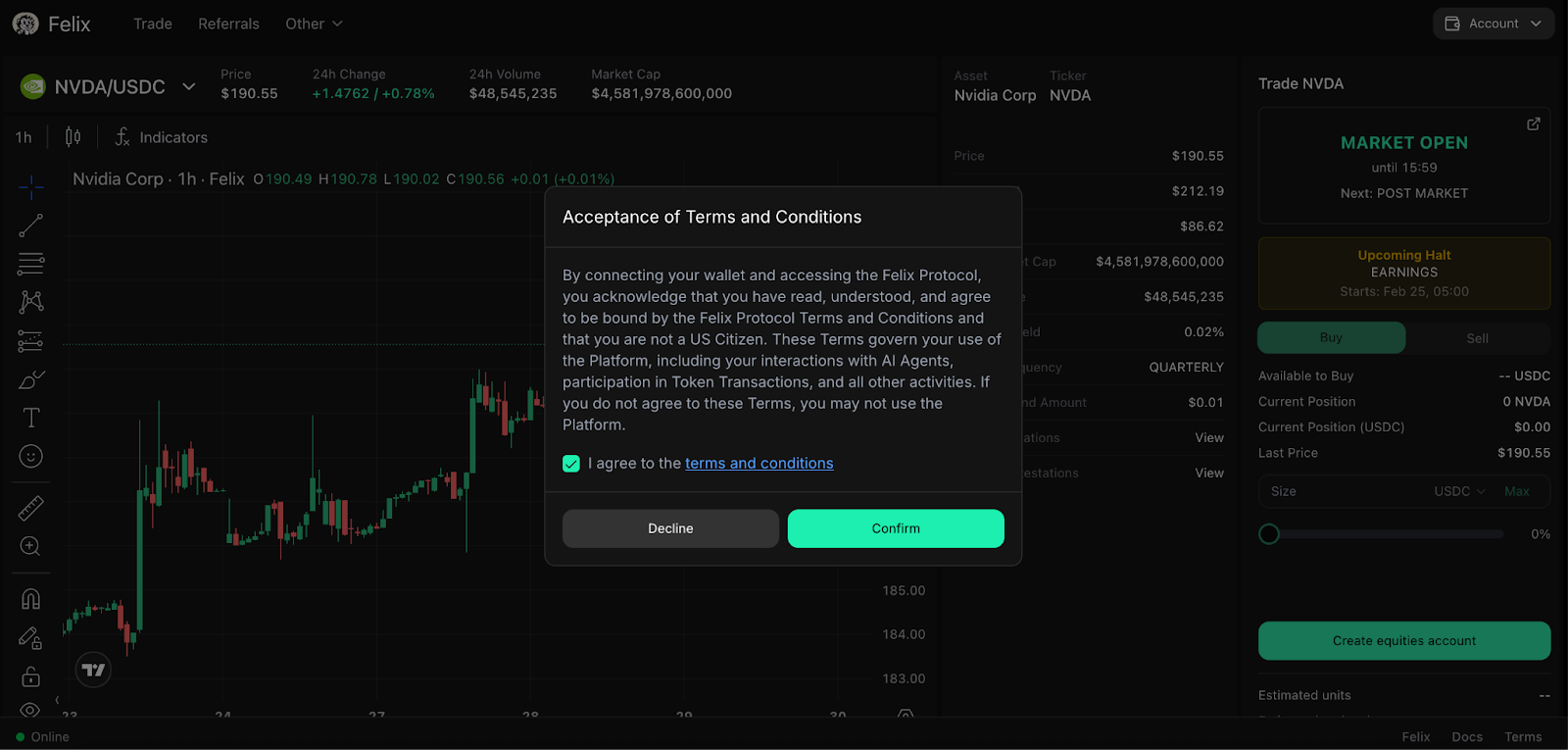
Step 3: After selecting your preferred sign in option, review the terms and conditions.

<figure><img src="https://2357968670-files.gitbook.io/~/files/v0/b/gitbook-x-prod.appspot.com/o/spaces%2FVH6och7EAxl0pIZxgbqv%2Fuploads%2F0vJ4hO9FfAPdjSK97TqF%2Funknown.png?alt=media&amp;token=54890444-a73c-4969-84a5-8e99e5386839" alt=""><figcaption></figcaption></figure>

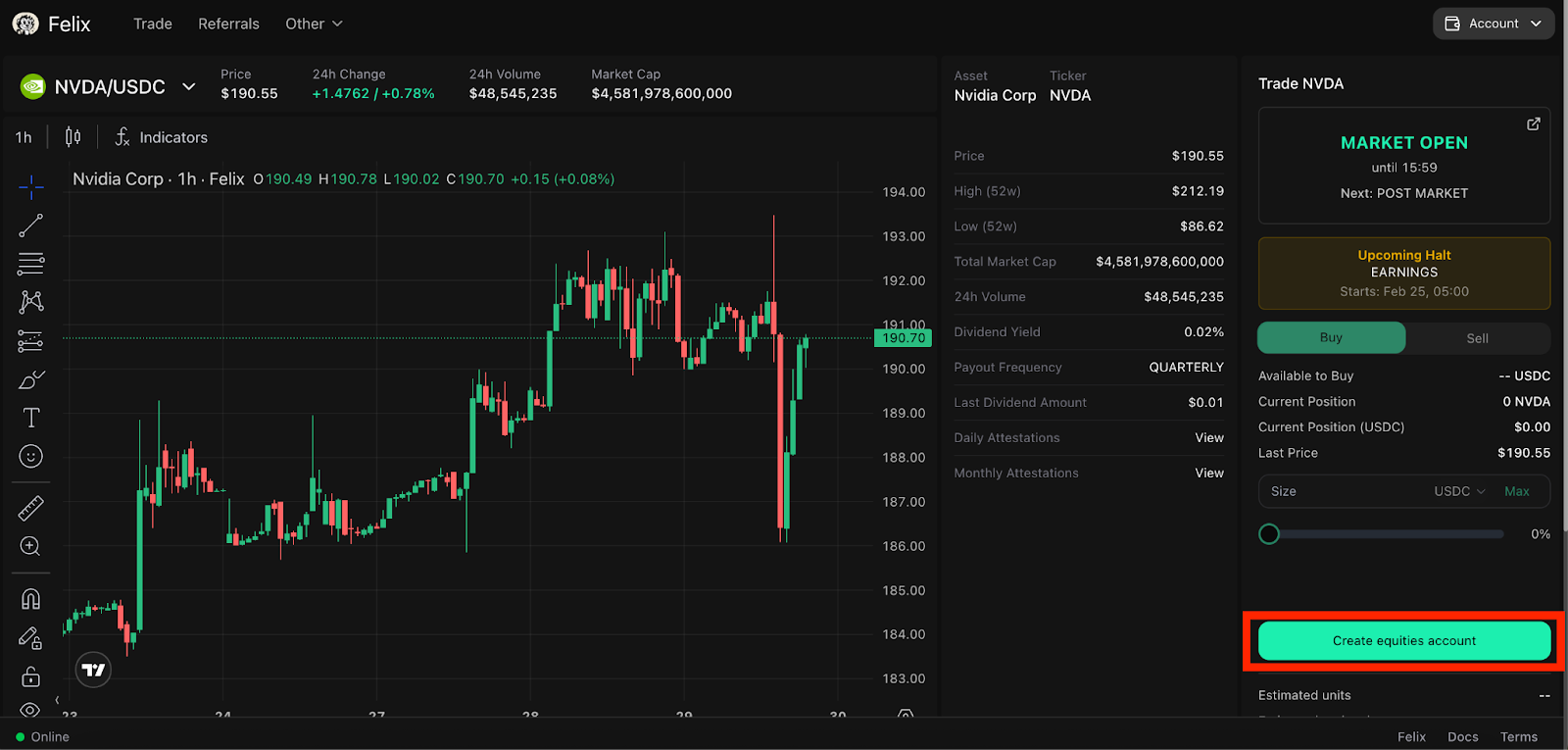
Step 4: If you agree to the terms and conditions, navigate to and click “Create equities account.”

<figure><img src="https://2357968670-files.gitbook.io/~/files/v0/b/gitbook-x-prod.appspot.com/o/spaces%2FVH6och7EAxl0pIZxgbqv%2Fuploads%2F9uqvIpSw9y70XzvRLxBX%2Funknown.png?alt=media&amp;token=0608ae17-a735-41c7-8c43-0d53b4f41a92" alt=""><figcaption></figcaption></figure>

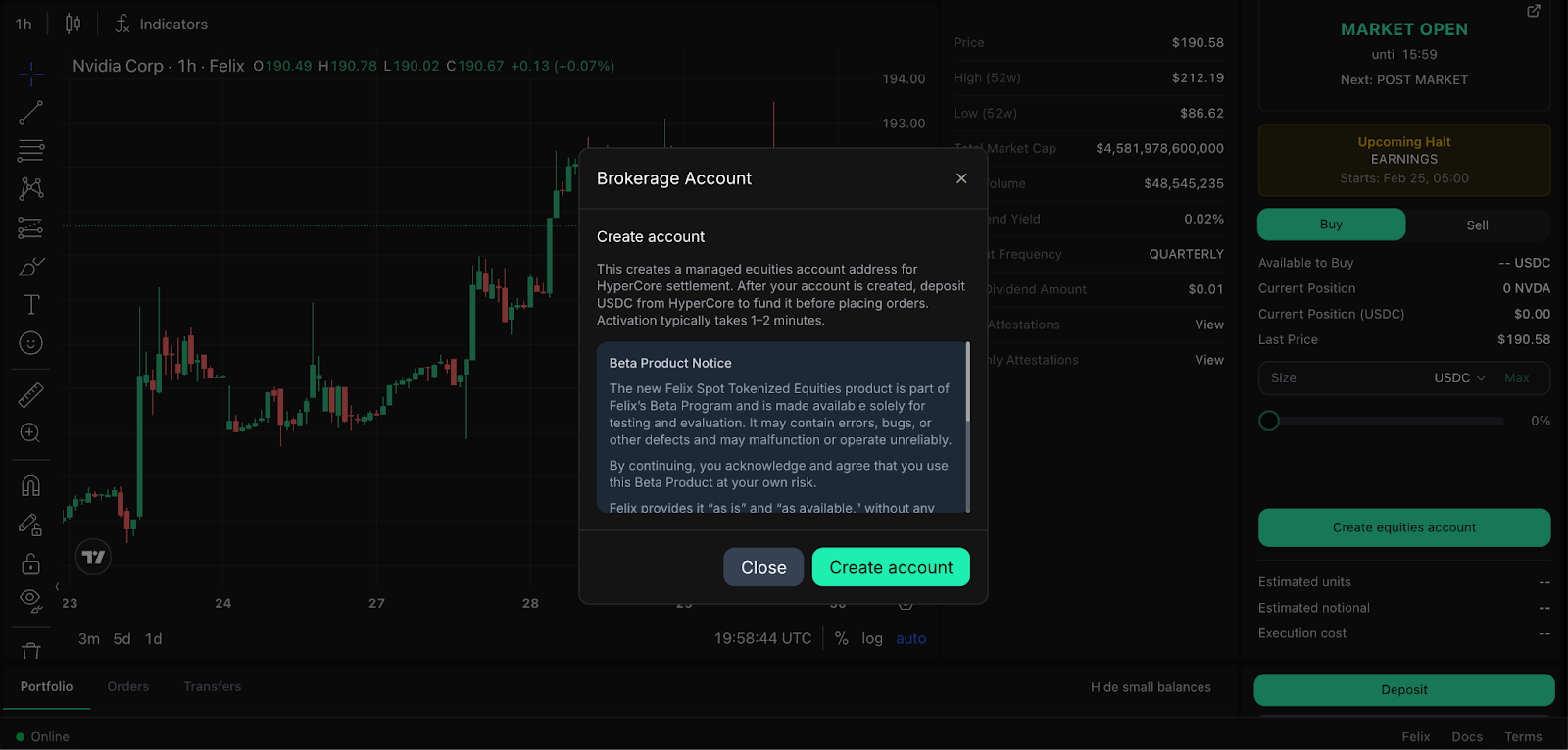
Step 5: Review the disclaimer and click "Create Account" if you want to proceed.

<figure><img src="https://2357968670-files.gitbook.io/~/files/v0/b/gitbook-x-prod.appspot.com/o/spaces%2FVH6och7EAxl0pIZxgbqv%2Fuploads%2FNdxNOHXdY0llM1CviQ8p%2Funknown.png?alt=media&amp;token=ff31ec8d-6e4a-4fdd-b402-56195565a4d3" alt=""><figcaption></figcaption></figure>

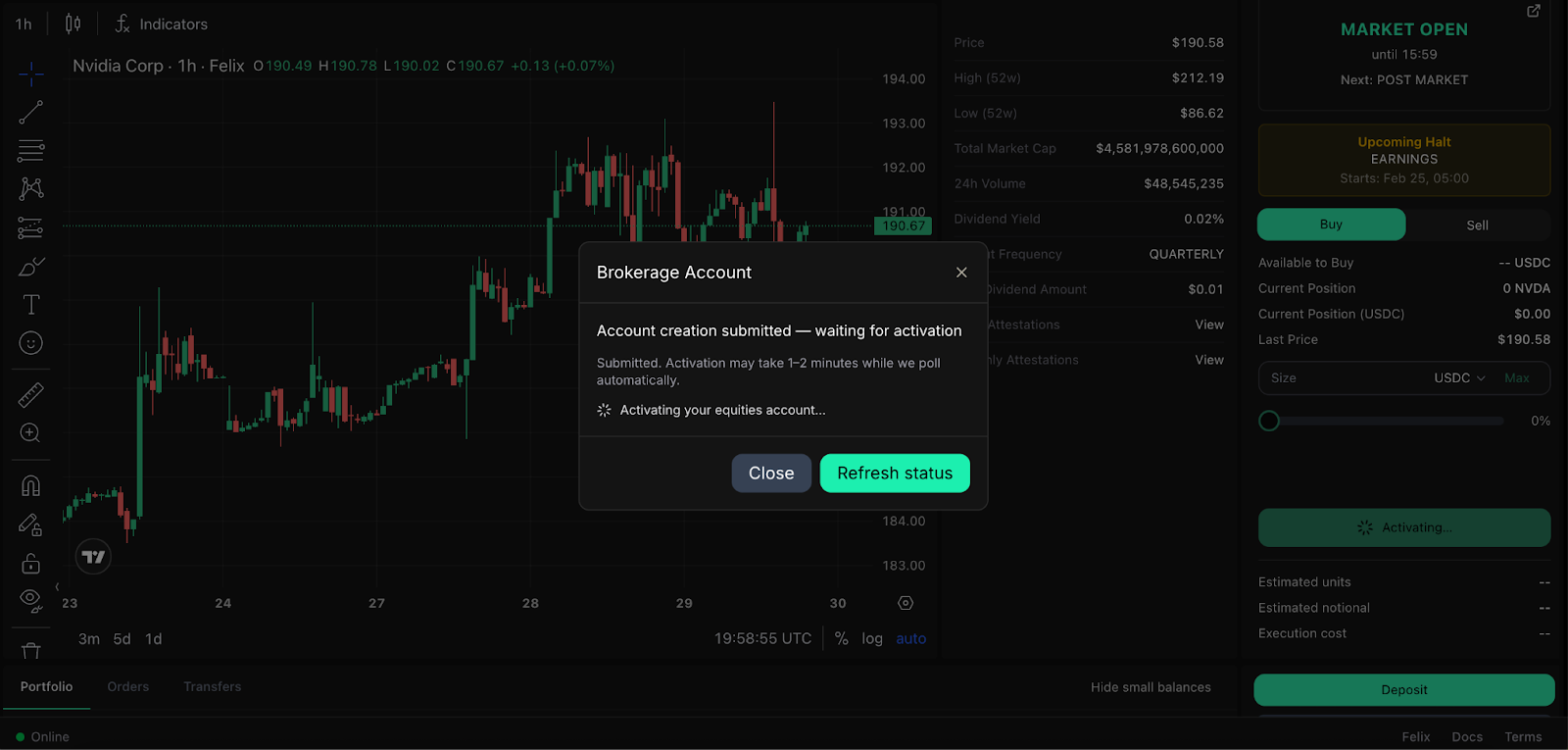
Step 6: Wait for your spot equities account to be activated.
<figure><img src="https://2357968670-files.gitbook.io/~/files/v0/b/gitbook-x-prod.appspot.com/o/spaces%2FVH6och7EAxl0pIZxgbqv%2Fuploads%2FgjoBYCihvJnMj1mfZ6EH%2Funknown.png?alt=media&amp;token=f98b64d4-1bd8-4a46-b603-2940619d62df" alt=""><figcaption></figcaption></figure>

<br>